LoraDB v0.11: Query playground in your browser

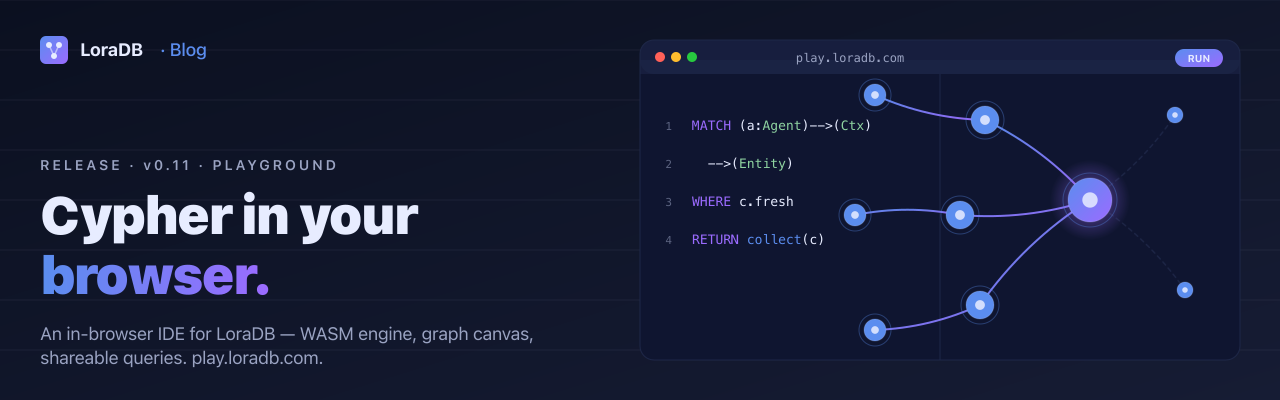
LoraDB v0.11 is a surface release.
v0.5 made the engine stream. v0.6 made persistence feel like a system. v0.7 was a process release. v0.8 made plans and runtime metrics easier to inspect from bindings. v0.9 gave the planner a schema catalog. v0.10 made the function library a library.
v0.11 puts the engine behind a URL. play.loradb.com
is a browser playground for writing LoraDB queries, running them against
an in-tab database, and seeing the results as a graph, table, or JSON.
It ships as a static Next.js export and runs the database through
WebAssembly in the browser.
What the playground is
Open a tab. Write a LoraDB query. See the graph.
The playground loads three of LoraDB's workspace packages:
@loradb/lora-wasmruns the Rust engine through WebAssembly.@loradb/lora-queryprovides the Monaco-based query editor, formatting, highlighting, completion, and diagnostics.@loradb/lora-graph-canvasrenders graph-shaped results as nodes and relationships.
Around those packages the app adds query tabs, result views, a schema
browser, history, saved queries, snapshots, a command palette, keyboard
shortcuts, and copyable query links. Saved work lives in IndexedDB and
localStorage; the hosted app does not receive your graph.
Same engine, not a demo dialect
The playground is not a hand-written browser mock of LoraDB. It uses the same Rust crates that power the bindings, compiled for WASM and loaded from the browser bundle:
- the same parser and analyzer;
- the same planner and executor;
- the same value model for nodes, relationships, paths, temporal values, points, vectors, lists, and maps;
- the same snapshot byte format exposed by the WASM binding.
That matters for docs and bug reports. A query you can reduce in the playground is a useful reproduction for the engine, not just a screenshot of a separate teaching tool.
The workbench
The first release keeps the layout intentionally simple: editor on top, results below, and an activity sidebar for supporting tools. The split between editor and results is resizable and persisted locally.
Editor. Multi-tab query editing with LoraDB-aware highlighting,
completion, formatting on command, diagnostics, and the familiar
Cmd/Ctrl+Enter run shortcut.
Results. The same result can be inspected several ways:
- Graph renders nodes and relationships when the result contains graph entities.
- Table gives a compact grid for scalar and structured columns.
- JSON shows the adapted row payload.
- Plan shows parser/analyzer information such as diagnostics,
variables, labels, relationship types, and parameters. Full
explain/profileexecution plans remain binding and HTTP APIs.
Sidebar. Saved queries, schema, snapshots, history, and settings live behind the activity bar. The schema panel introspects labels, relationship types, property keys, and per-label counts from the current database.
Inspector. Selecting graph entities opens their labels, type, properties, and internal IDs in the inspector drawer.
Sharing a query
The Share action copies a URL with the query body encoded in the hash as
#q=<compressed-query>. The codec uses lz-string's URL-safe encoding;
it is not base64 and it does not encode your local database.
That boundary is deliberate. A shared link is a way to send the query
text, not a way to publish your graph. If the recipient needs the same
data, export a snapshot and send the .lorasnap file alongside the
query link.
Snapshots use the same byte format as the WASM binding:
- Run the seed statements.
- Open Snapshots and create a snapshot.
- Export the snapshot file.
- Share the snapshot and the query URL together.
What runs where
The playground is a fully static export. There are no API routes, no
server actions, and no shared hosted database. next build writes
HTML, JavaScript, CSS, and WASM assets into apps/play.loradb.com/out;
Cloudflare Pages serves those files.
That has three practical consequences:
- No backend account. There is no sign-in and no hosted graph for the app to sync with.
- Local persistence. Saved queries, history, settings, snapshots, and the auto-restored graph are browser-origin data.
- Browser-sized workloads. The engine is real, but this surface is still one browser tab. It is for learning, debugging, examples, and small local graphs, not load testing.
A graph that needs server-side durability, multiple clients, operational controls, or production ingress still belongs in an application binding or the HTTP server.
What the v0.11 playground did not do yet
The release is useful because the boundaries are clear:
- No parameter drawer in v0.11. The editor could detect parameter names, but this first UI had no host-side params panel. Docs examples meant to run directly in that release's playground needed trusted inline literals or seed data.
- No multi-database selector. The browser origin owns one local playground database.
- No true query abort. The Cancel button drops the pending result
from the UI; the current WASM
executecall still runs until it returns. - No remote import. Import accepts snapshot files from the local machine. The app does not fetch remote URLs to seed a graph.
- Hash links only. Share state lives in the URL hash so a static export can refresh cleanly.
This is a historical v0.11 release note. The current playground includes a JSON Params panel and can share active params with the query URL. See Try LoraDB in the Playground for the current behavior.
New package surfaces
Two UI packages are versioned with this release:
@loradb/lora-querypackages the query editor pieces used by the playground.@loradb/lora-graph-canvaspackages the graph canvas used by the result view.
They are published under the same Business Source License 1.1 release terms as the rest of the repository. The docs site itself remains separately MIT-licensed.
How v0.11 fits the journey
The earlier releases made the engine more capable and observable. v0.11 makes it easier to touch.
That changes what a docs page, PR comment, or support thread can ask of a reader. Instead of starting with "clone the repo and wire up a binding", we can often start with "open the playground and run this".
The next obvious improvements are a parameters drawer, seeded docs links, and smoother snapshot handoff from docs into the playground.
Read next
- Open the playground
- Playground guide
- Cookbook — queries that run as-is
- WASM binding guide
- Limitations
v0.11 is the release where you can try LoraDB before installing it.